
Sage 50 Product Importer
Import product information from CSV or Excel spreadsheets into your Sage 50 Accounts, eliminating the need to manually enter or update product records.
Great for adding and updating suppliers price lists.
Version # 30.0.0.0
Subscription: £70.00+VAT (per year)
Details
DetailsSage Product Importer enables you to import product information from CSV or Excel spreadsheets into your Sage Instant, and Sage 50 Accounts software, eliminating the need to enter or update any product records manually.
Quick Add
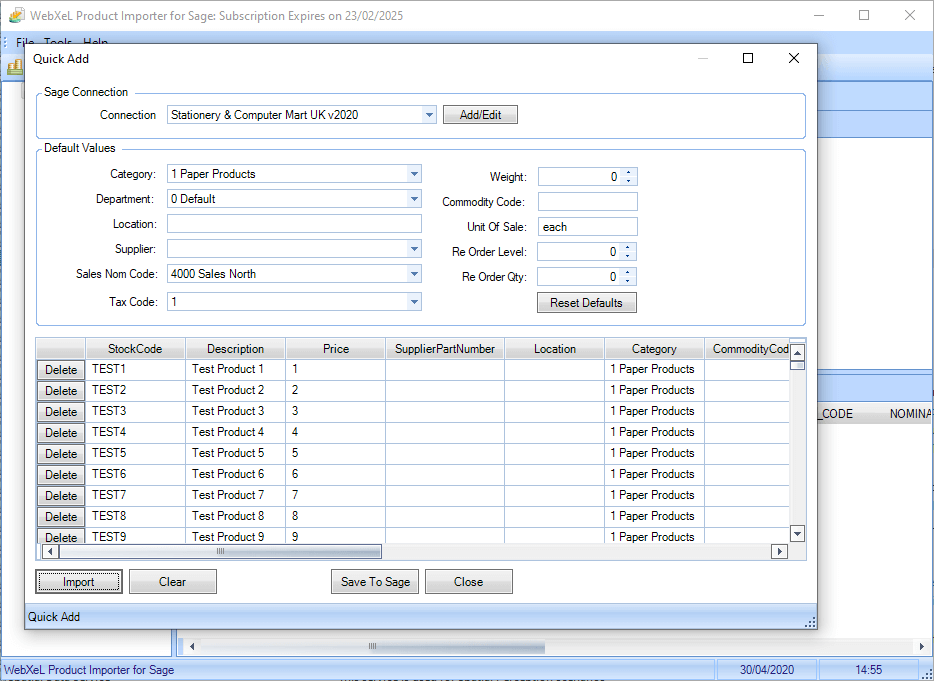
The Quick Add feature allows you to manually insert multiple products more quickly and efficiently than in Sage Instant and Sage 50 Accounts.
Product Management
Price updates and new product additions in Sage Instant and Sage 50 Accounts could not be more straightforward, define a supplier job, set any required product defaults and then import a CSV or Excel file. Sage Product Importer then allows you to review your pending updates and make any changes before committing any updates or additions to Sage Instant and Sage 50 Accounts.
Say goodbye to the time-consuming days of manually updating suppliers price increases or adding new products to Sage Instant and Sage 50 Accounts, try our 30 day trial of Product Importer for Sage today!
Benefits
BenefitsReduced Costs - by importing or updating product directly into Sage Instant and Sage 50 Accounts, key-in times are by-passed, resulting in lower administrative costs.
Reduced Errors - importing products directly into Sage Instant and Sage 50 Accounts, eliminates input errors, resulting in the "right first time" scenario.
Staff Involvement - frees up this most valuable company resource.
Affordable - Sage Product Importer is excellent value for money.
Free Trial - 30 days trial plus 30 days support. (Trial can only be used with Sage Demo data)
Features
FeaturesOut of the Box Evaluation
Sage Product Importer comes ready to use "Out the Box", it comes pre-configured to connect to Sage Instant and Sage 50 Accounts demo data, and there are sample import files included with the application. This configuration allows you to fully evaluate the program immediately and see it in action without accessing your live accounts data until required.*
Multiple Sage Accounts
Supports multiple Sage companies, each "Product Importer Job" can connect to a separate Sage company and an unlimited number of jobs can be defined, making Product Importer one of the most cost-effective solutions around.
Data Import
Product Importer can data from the following sources;
- CSV Files
- Excel Spreadsheets
Save Data to Any Sage 50 Product Field
Sage Product Importer can save to any Sage product field. If you need to save data to a Sage field not natively supported by Product Importer, you can simply define a default value for that field or map a column in your import file to the field.
If you need to save order data to a Sage Instant and Sage 50 Accounts field not natively supported by Order Importer you can easily define a custom field. Custom fields can map any import field used to any Sage Instant and Sage 50 Accounts field required.
Undo/Rollback Sage Updates
Product Importer for Sage maintains a history of all updates and additions made to your Sage data; you can undo or re-apply past changes at any time using the history feature.
Powerful Validation
Robust validation is performed on all imported data to ensure compatibility with Sage Instant and Sage 50 Accounts. Any products failing validation, for example, descriptions too long for Sage are flagged. Product Importer for Sage has a built-in editing facility allowing quick and easy rectification of any problematic data.
Network Compatible
Product Importer for Sage is fully network capable, and it can connect to Sage installations across a local area connection (LAN).
Notes
* You must have access to the Sage demo company data to view products inserted or updated by Product Importer for Sages demo job.
Screenshots
ScreenshotsSage Product Importer - Interface
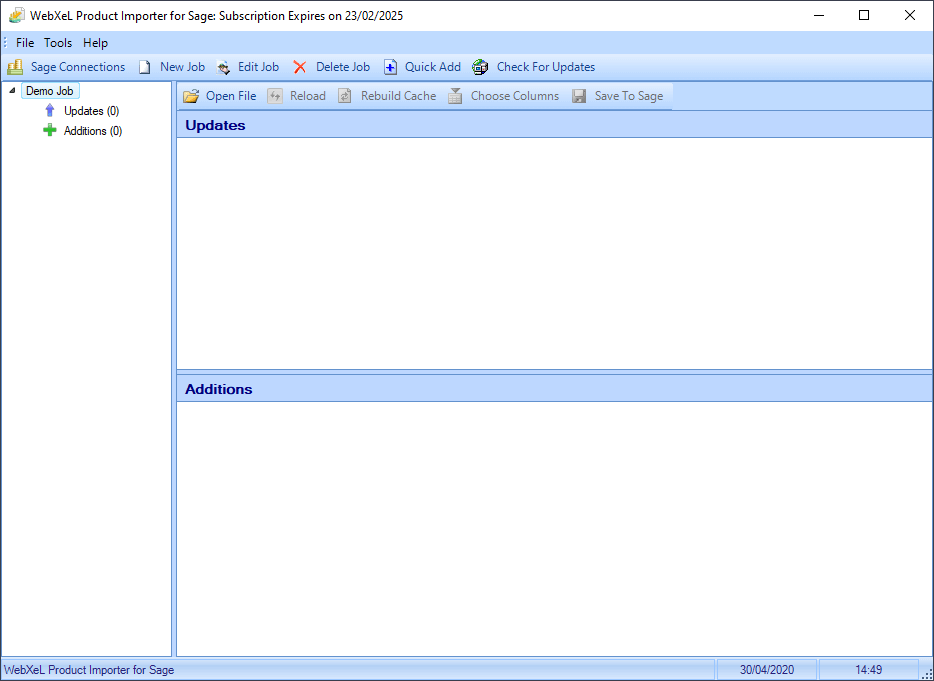
Sage Product Importer - New Job
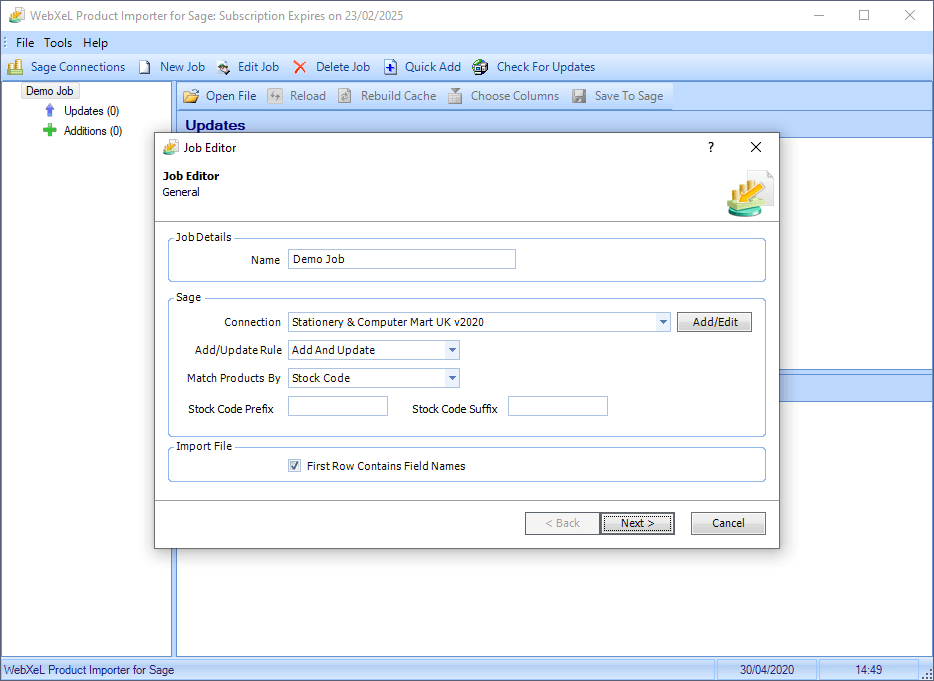
Sage Product Importer - Job Defaults
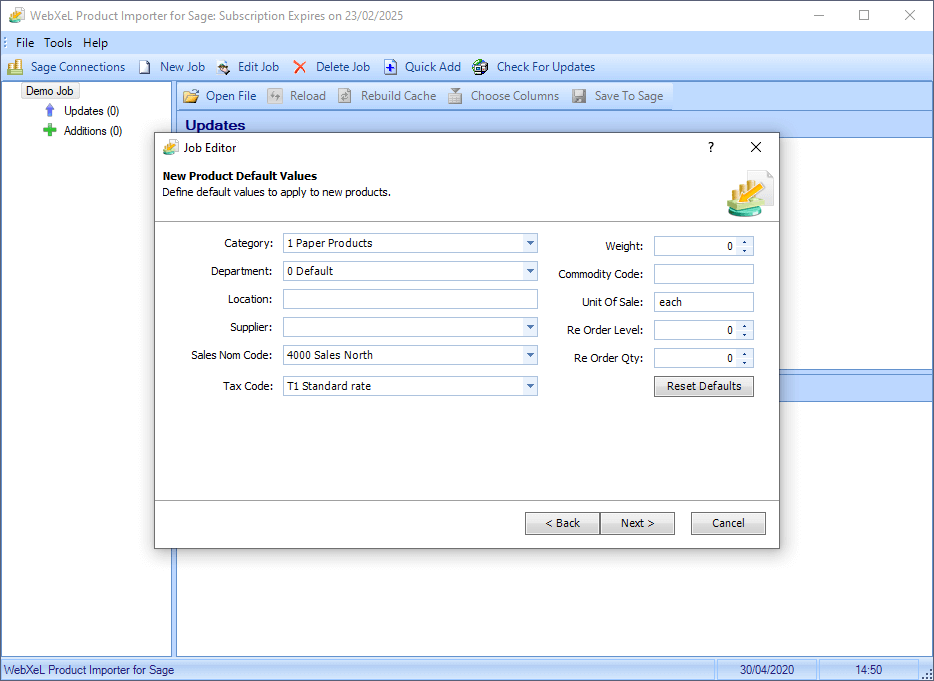
Sage Product Importer - Job CSV Mapping
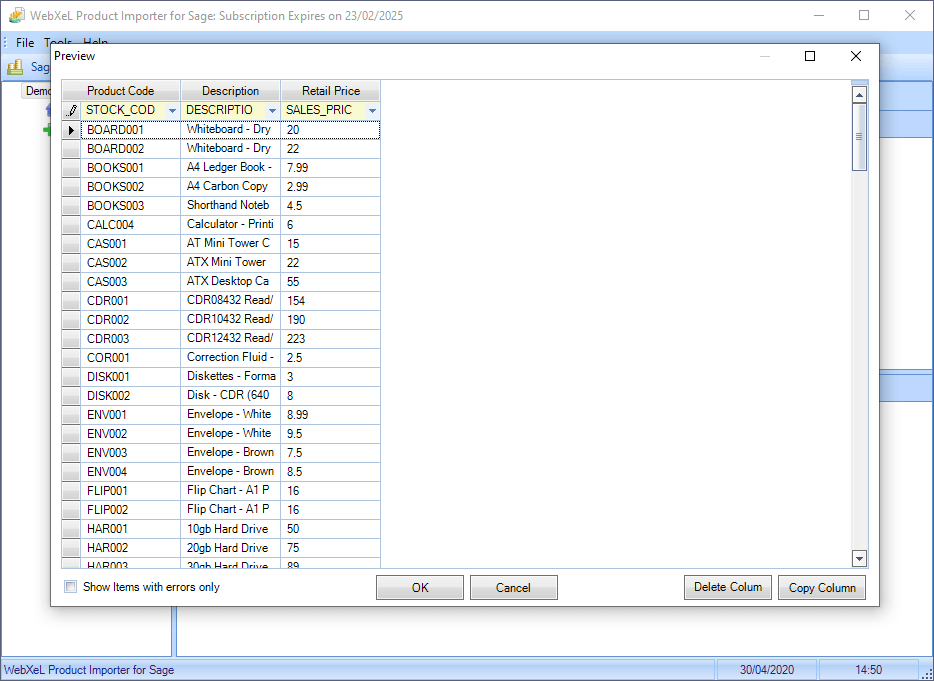
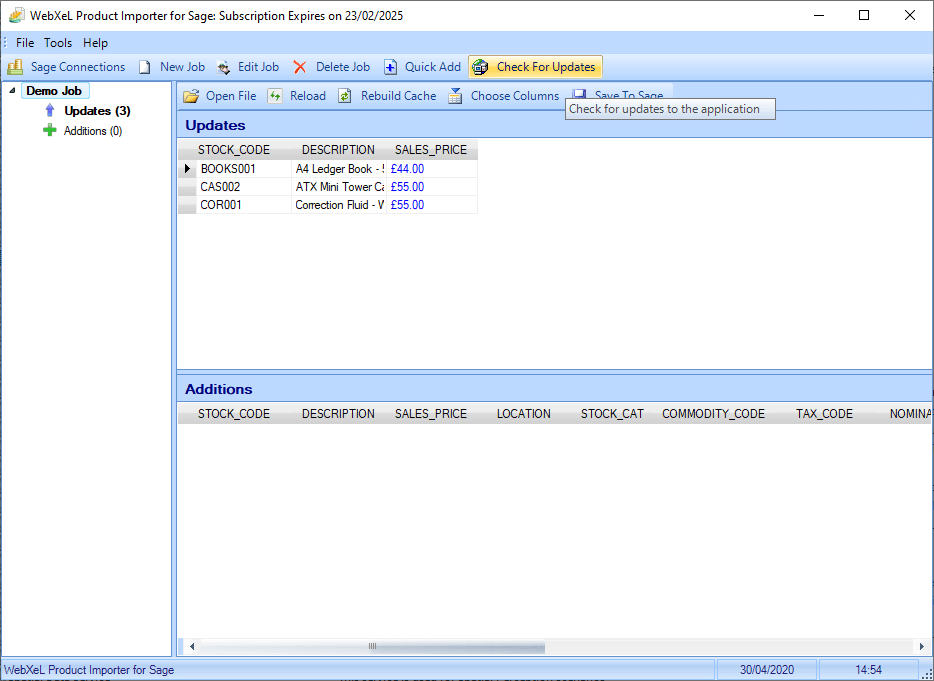
Sage Product Importer - CSV Import Showing Prices Changes
Sage Product Importer - Manual Product Quick Add
Click screenshots to view full size
Requirements
DevelopersSage Compatibility
Sage Instant Accounts Versions 15 onwards, Sage Line 50 Versions 10 onwards & Sage 50 Accounts Versions 2008 onwards including Sage 50 C & Sage 50 Cloud (Excluding Sage 50 USA & Canada).
Required Software
Windows-based PC running Microsoft Windows 8, 10 or Windows Server 2008 onwards.
Microsoft .NET Framework 4.5.2
(The WebXeL Order Importer for Sage software installer checks for installation when installing the program and allows you to download directly)
Demo Data
Demo DataThe demo data download zip file contains demo import files for quickly adding products and updating existing stock products from CSV and XLS imports.
Currently included are demos using;
- Stock Import CSV
- Stock Import XLS
- Quick Add CSV
- Quick Add XLS